“What are we still waiting for?” is the most frequently asked question in any document-driven workflow, and in most organisations answering it properly takes an afternoon.
The usual method is reconstruction. Someone opens the case, scrolls the correspondence, checks a folder, opens two attachments to see which version they are, and compares the result against a list held in a spreadsheet or in their own memory. The answer they produce is roughly right and immediately out of date.
Case-level status is the common mistake
Most teams do track something. The problem is the level at which they track it.
A matter marked “awaiting documents” for three weeks carries almost no information. It does not say which document is missing, whether the client has been asked twice, whether something arrived and was rejected, or whether the delay belongs to the client or to an unreviewed submission sitting in a queue. Anyone who wants those answers has to go and find them, which is the work the status was supposed to eliminate.
Item-level status fixes this by making each requested document its own tracked object. The case is then a rollup of items rather than a label applied by hand. “Two of five outstanding” is a fact the system knows. “Awaiting documents” is an opinion someone typed.
What outstanding actually means
The word hides two situations that need different responses, and conflating them is a reliable source of confusing follow-ups.
The first is an item that was requested and never submitted. The client has not acted. The right response is a reminder.
The second is an item that was submitted and rejected: the scan was unreadable, the statement was four months old, the passport page was the wrong one. The client has acted, believes they are finished, and will experience a generic reminder as the firm losing their document. The right response explains what was wrong and what would be acceptable.
A tracker that shows both as simply “outstanding” will produce the wrong message roughly half the time. This is one of the clearer arguments for tracking status inside the collection workflow rather than beside it: only the workflow knows a rejection happened.
The states worth tracking
A workflow does not need an elaborate state machine, but it needs more than sent and received. Six states cover almost every document-driven process:
Requested — the item has been named and asked for, with a record of when and by whom. Submitted — something has arrived against that item. Under review — a person has to decide whether it is acceptable. Accepted — the item is satisfied and no longer outstanding. Rejected — something arrived and was not acceptable, with a reason the client can act on. Closed — the workflow has ended and the item’s retention clock has started.
The two that get dropped are rejected and closed, and both matter. Without rejected, outstanding becomes ambiguous. Without closed, nothing distinguishes a document you are still using from one you are merely still holding, which is where retention decisions start going wrong.
Why the spreadsheet stops working
Spreadsheets are the default because they are immediate and free, and for a small caseload they genuinely work. They fail at three specific points rather than gradually.
They fail when the status and the evidence live apart. The spreadsheet says the passport arrived; the passport is in an inbox. Nothing reconciles the two, so the spreadsheet is accurate only for as long as everyone remembers to update it, which is until the first busy week.
They fail when more than one person collects. Two people updating the same tracker produce a document that is authoritative to neither.
And they fail because the client cannot see them. This is the limitation that matters most. A tracker only the firm can read means the person chasing and the person being chased are working from different pictures, and every reconciliation between those pictures costs a message.
Who needs to see the status
Three audiences, with different needs, which is why a single internal list rarely satisfies all of them.
The person collecting needs to know what to do next, ordered by which cases are furthest from complete. The reviewer needs to know what has arrived and is waiting on a decision from them, which is a different queue entirely and is often invisible in trackers built around chasing. The client needs to know their own position, and giving it to them removes a surprising volume of inbound “did you get my documents?” messages.
Serving the third audience is what turns tracking from an internal admin tool into something that reduces total work. A client who can see their own outstanding items does not need to ask, and often does not need to be reminded.
Tracking when more than one person is involved
Single-client tracking is the easy case. Most real workflows have more than one contributor, and this is where case-level status becomes actively misleading.
A tenancy referencing pack draws on the tenant, a joint applicant, a guarantor, an employer and a previous landlord. A claim draws on the customer, a broker and an assessor. An onboarding pack may need the new starter, their previous employer and an umbrella company. In each of these, “awaiting documents” is true for weeks while the actual bottleneck moves between parties nobody is watching.
Item-level tracking with an owner attached to each item answers the question that matters: not what is outstanding, but who it is outstanding from. That distinction changes the action. An item outstanding from your own reviewer needs a nudge internally. An item outstanding from a guarantor with no relationship to you needs a different route entirely, often through the applicant who does have influence over them.
It also stops the most common mistake in multi-party collection, which is chasing the responsive party because they are the one you have a thread with.
The reviewer’s queue is a different list
Most tracking gets built for the person doing the chasing, and that leaves a second queue invisible.
When a document arrives, it is no longer outstanding from the client but it is not finished either. It sits waiting for someone internal to accept or reject it. From the client’s point of view they have done their part; from the workflow’s point of view the item is still open. If the tracker does not distinguish these, delay caused by your own review backlog is indistinguishable from delay caused by the client, and it will usually be attributed to the client.
Separating submitted from accepted makes internal delay visible, which is uncomfortable and useful. It also prevents the specific failure where a client is reminded about a document that has been sitting unreviewed in your queue for a week.
A worked example: an immigration case
An adviser is assembling evidence for a visa application: passport, previous visas, employment letter, six months of bank statements, and proof of relationship.
The bank statements arrive as five separate photographs across two weeks, one of which is illegible. The employment letter arrives unsigned. The passport arrives immediately.
At case level, this is “awaiting documents” for a month. At item level, it is precise: passport accepted; previous visas outstanding, never submitted; employment letter rejected, reason recorded, client notified; bank statements four of six accepted, one rejected as illegible, one never submitted.
The second version tells the adviser exactly which three messages to send and to whom, and it tells the applicant exactly what they still have to do. The completeness question that dominates immigration casework is covered further in how to know an immigration case file is complete.
What to look for in a tracking process
Ask whether the status is derived or typed. A status someone maintains by hand will drift; a status the system derives from what has actually arrived will not.
Ask whether rejection is a distinct state with a reason attached. Ask whether the client sees the same list you do. Ask whether the tracker knows when a request was first made, because “outstanding” without an age tells you nothing about which case to work on first. And ask what happens to the record when the work finishes, since a tracker that has no closed state quietly becomes a list of documents nobody has a reason to still hold.
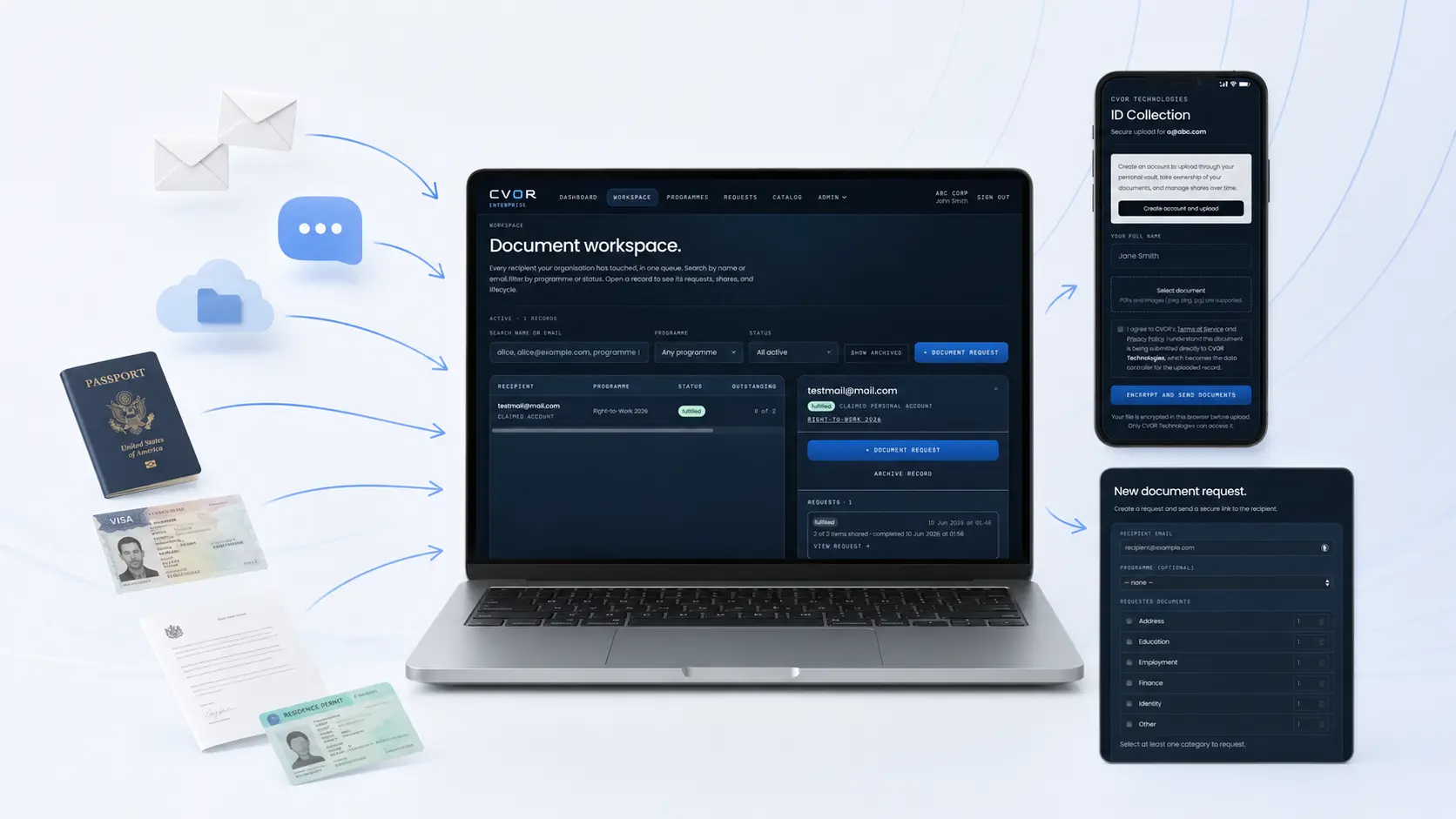
CVOR tracks collection this way: requests are issued as named items against a recipient, each item carries its own state, the outstanding count is derived rather than maintained, and the recipient sees their own position without having to ask for it.
The question worth asking about your own process is how long it currently takes to answer, for any single client, which document you are waiting on and whether they know it.
CVOR governs document workflows for compliance-sensitive organizations.
Explore the platform →Frequently asked questions
How do you track which documents are still outstanding?
Track status against each requested item rather than against the case. A case marked "awaiting documents" does not say which document, from whom, or whether it was rejected rather than never sent. Item-level status answers all three without anyone having to check.
What does outstanding mean in document collection?
Outstanding means a requested item has not yet been accepted. It covers two different situations that need different responses: an item never submitted, and an item submitted but rejected as unreadable, expired or wrong. Treating them identically produces confusing follow-ups.
Why do spreadsheets stop working for document tracking?
A spreadsheet holds the status but not the evidence, so it drifts from reality the moment someone forgets to update it. It also cannot be seen by the client, which means the person chasing and the person being chased are working from different pictures.
What document states should a collection workflow track?
At minimum: requested, submitted, under review, accepted, rejected, and closed or deleted. Rejected has to be distinct from requested, and closed has to be distinct from accepted, or the record cannot explain what happened after the work finished.